Mindful Sound for Workplace PerformanceSeedance 2.5 · v2
One shoot, twelve clips.
v1 gave you twelve well-written prompts. This is the version that makes them look like they came out of the same camera on the same afternoon — a locked prompt grammar, a fixed reference plate set, one continuity sheet, a quantified motion law, and a finishing pass that unifies whatever the model hands back.
01
What v2 changes, and why each one moves the needle
Every difference below exists for one reason: a generative video model re-rolls its entire look on every wording change. Consistency is not a prompt-quality problem — it is a variance problem, and you beat variance by removing the freedom to vary.
Lever
v1
v2
PROMPT SHAPE
Twelve individually-authored paragraphs. Every clip re-describes lighting, lens and grade in slightly different words.
Every prompt is a variable head plus an invariant tail pasted verbatim. Identical phrasing pins the model to identical styling.
MODE
Mostly text-to-video; references suggested for Module 2 only.
Reference-to-video everywhere, off a fixed five-plate set. Text-to-video is used only during look-dev.
Exactly three named optical setups. Nothing else exists on this shoot. 50mm is retired — it drifts wide and flattens the negative space.
LIGHT
"Window at 45°" — but the side changes between clips (left in one, right in the next).
One lamp, one position, camera-left, never moved, in all twelve. This is the single strongest continuity cue a viewer reads.
MOTION
"Extremely slow", "barely perceptible" — qualitative, so the model interprets it differently each time.
Four moves with numbers attached (8% push, 6% drift, rack completing at 70%, locked hold). Same perceived speed across the set.
DURATION
6s, 8s, 10s, 12s, 30s mixed.
8s standard, 12s for the two heroes, 30s for the ambient. Mixed durations at the same move speed read as mixed pacing when slides sit side by side.
NEGATIVE
A bespoke exclusion list per clip.
One global negative string, pasted unchanged, plus at most three per-asset additions. A varying negative is a varying look.
FINISHING
Not addressed — the model's output was the deliverable.
A mandatory finishing pass: deflicker, 1080p upscale, one shared grade, matched grain, mute, loop. This is where "AI clips" become "a set".
If you only adopt one thing from this document, adopt the finishing pass. Twelve mediocre generations put through one shared grade look more like a production than twelve excellent generations that were never touched.
02
The prompt grammar
A v2 prompt has exactly two parts. The head is the only place anything changes: shot size, subject, action, and the declared camera move. The tail is five lines of locked text — three of them identical in every asset, two chosen from a closed list. You never rewrite the tail. You never paraphrase it. Paraphrasing the tail is what broke v1.
Tail 1 · Opticschoose one, verbatim
OPTIC A
Shot on an 85mm lens at f/2.0, shallow depth of field.
OPTIC B
Shot on a 100mm macro lens at f/2.8, extremely shallow depth of field.
OPTIC C
Shot on an 85mm lens at f/2.8, moderate depth of field.
Tail 2 · Lightidentical in all twelve
Lit by a single soft key of diffused daylight from a large window at forty-five degrees camera-left, gentle falloff into deep soft shadow, no fill, no practical lamps, no coloured light.
Tail 3 · Gradeidentical in all twelve
Desaturated filmic grade, low contrast, lifted blacks, neutral-to-warm white balance, fine natural grain, clean but never glossy. Palette limited to deep slate charcoal, warm brushed bronze, soft off-white and one muted sage-teal accent.
Tail 4 · Framechoose one, verbatim
LEFT
The left third of frame is clean, low-detail negative space held for text overlay.
RIGHT
The right third of frame is clean, low-detail negative space held for text overlay.
CENTRE
The centre of frame stays clean and low-detail so overlaid text remains legible.
Tail 5 · Disciplineidentical in all twelve
One continuous take, one camera move, no cuts, no speed change, locked horizon, no handheld shake, no zoom. Movement is barely perceptible throughout. Calm, unhurried, meditative pacing.
Global negativepaste unchanged into every generation
text, letters, numbers, captions, subtitles, watermark, logo, signage, screen UI, readable documents, incense, candles, flowers, mandala, lotus, chakra, religious symbols, statues, prayer hands, robes, crystals as mysticism, glowing aura, energy waves, sparkles, purple or violet mystical light, lens flare, god rays, coloured gels, bloom, fast motion, whip pan, orbit, crash zoom, speed ramp, handheld shake, cuts, jump cut, flicker, warped hands, extra fingers, distorted faces, direct eye contact with camera, broad stock-photo smile, children, recognisable brands, oversaturated colour, HDR look, plastic skin
Text hallucination is the number-one reject cause on office-interior prompts — the model wants to put a sign on a wall and a spreadsheet on a screen. That is why text, letters, numbers lead the negative string rather than sitting at the end.
03
Continuity sheet: one world, two sets
Every one of the twelve clips takes place in the same building, on the same afternoon, with the same props. Where v1 described a generic "modern office" twelve times, v2 describes this office once and then refers back to it.
Set A — the window corner
A pale oak table against an off-white plaster wall, one muted sage-teal upholstered chair, floor-to-ceiling window camera-left, open-plan office falling away defocused behind. Used for: M0-COVER · M1-OPEN · M1-BODY · M1-MIND · M2-HERO · M2-MATERIAL · M3-OPEN
Set B — the meeting room
The same window wall, one room along: a longer pale oak table, four muted sage-teal chairs, a glass partition softly defocused behind. Used for: M0-WELCOME · M1-SCENARIO · M3-LISTEN
Prop kit — nothing enters frame that is not on this list
One brushed bronze singing bowl, roughly 150mm. One felt mallet with a wooden shaft. One frosted quartz bowl — Slide 25 only. A closed grey linen notebook. A matte black pen. An unbranded stoneware cup. Plain cream paper, unprinted. A shallow bowl of still water on dark slate.
Wardrobe capsule
Charcoal, oatmeal, slate blue, warm grey. Soft matte fabrics. No pure white shirts — they clip against a window key and pull the whole grade brighter. No fine patterns — pinstripe and check alias badly at 720p and the model renders the shimmer as motion. No reflective jewellery, no lanyards, no visible branding.
04
The plate set
Five still images, made once, that every clip is generated from. This is the highest-leverage half-hour of the whole job: reference-to-video anchors colour, surface, room geometry and wardrobe far more reliably than any amount of adjective tuning, and it works even where the endpoint gives you no seed control.
Make them by whichever route is cheaper for you — photograph them if you have the bowl and a window, or generate them with the same tail lines and lock the ones you like. Either way, freeze them before you generate a single clip and never regenerate a plate mid-shoot.
P1
Bowl hero
The brushed bronze bowl and felt mallet on pale oak, lit camera-left, plaster wall behind. The single most reused plate — it carries the bronze that every Module 2 clip has to match.
P2
Set A, empty
Wide, no people, no props. Establishes the room geometry, the window falloff, and the wall tone that becomes your negative space.
P3
Set B, empty
The meeting room, same treatment. Keeps the three two-person clips in a room that visibly belongs to the same building.
P4
Wardrobe / talent
One mid-shot of a professional in the capsule palette, face turned three-quarters away and softly out of focus. Referencing this rather than describing people in words is what stops the cast changing between Module 1 and Module 3.
P5
Surface
A macro of the oak grain meeting the plaster wall. Feeds the ambient clip and pins the texture the grade sits on.
If your endpoint exposes a seed, record the one that produced your approved look-dev probe and reuse it. If it does not, the plate set does the same job more robustly — reference conditioning survives model-side updates in a way seeds often do not.
05
Order of work
The reason v1 output varies is that it invites you to generate asset one, then asset two, then asset three. A studio never does that. It develops the look, locks it, and only then runs the sequence.
STEP 1
Look-dev — three probes, then stop
Generate M2-HERO-01 three times and nothing else. It has the most surface, the most specular detail and the least forgiving material, so it fails first and it fails visibly. Pick the one that reads most like a product film and least like a wellness advert. That take is now the reference for the whole deck. Budget: about 45 minutes and $5.
STEP 2
Freeze the plates
Pull a clean frame from the approved probe as P1 if you generated it. Assemble P2–P5. Put all five in a folder called /plates and do not touch it again.
STEP 3
Run the sequence — three takes each, in one sitting
Generate all twelve in a single session, in asset order, without editing the tail between them. Three takes per asset. Do not stop to review; reviewing mid-run tempts you into rewording, and rewording is the variance.
STEP 4
QC gate — select one per asset
Run the nine-point reject list against all thirty-six takes on a projector or a large screen, not a laptop. Select one per asset. Anything that fails goes back for takes four to six with the head reworded — never the tail.
STEP 5
Finishing pass — one command, twelve files
Deflicker, upscale, one shared grade, matched grain, mute, loop. This is what turns twelve independent generations into a set.
06
Shot spine
The whole shoot on one page. Coherence should be visible here before you generate anything — if a row's optics, move or text zone looks like an outlier, that is a decision to justify, not a variation to enjoy.
Asset
Slides
Set
Plate
Optic
Move
Frame
Text zone
Sec
Move vocabulary — nothing outside these four.
Motion lawquantified so every clip reads at the same speed
PUSH
Camera performs a slow eight percent push-in across the full duration.
DRIFT
Camera performs a slow lateral dolly six percent to the right at constant speed.
RACK
Single rack focus in one direction, completing at seventy percent of the duration and holding.
HOLD
Camera locked off; the only movement is inside the frame.
07
The twelve, rewritten
Each prompt below is complete and paste-ready. What you see in ink is the head — the only part that differs between assets. What you see in bronze is the tail, reproduced so you can confirm it is identical everywhere. Copy takes the whole thing.
Audio policy is one line and applies to all twelve: request silent, and mute on import regardless. Native audio will not match across twelve generations and will fight both the trainer and the live bowl.
M0-COVER-01
Slide 1 · Cover
ref‑to‑video P112sOptic BPushZone left
Generated keyframe · M0-COVER-01
Prompt
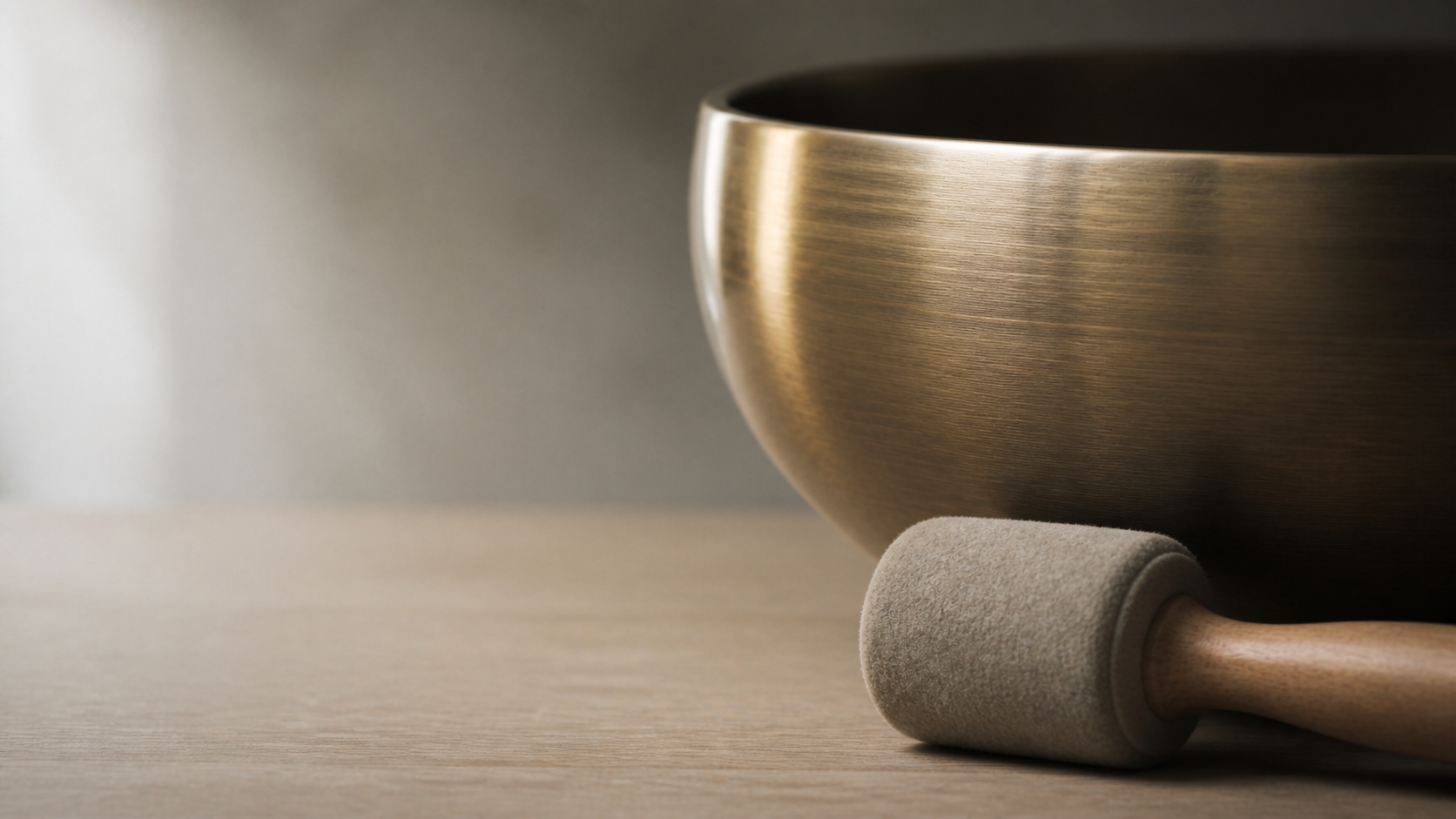
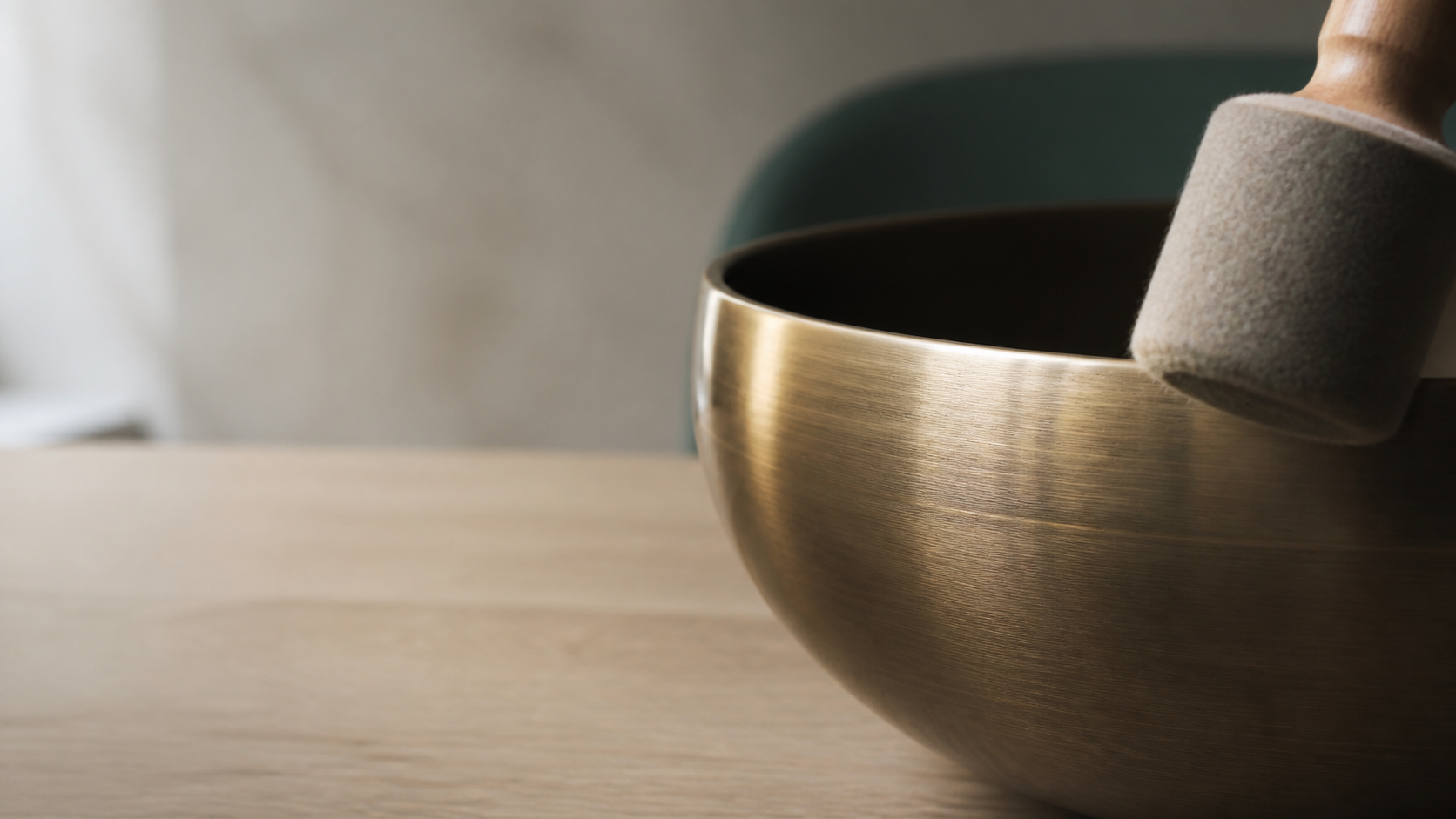
Extreme close-up of a brushed bronze singing bowl resting on a pale oak table beside a single felt mallet, faint concentric vibration travelling across the metal surface, a muted sage-teal chair back and off-white plaster wall softly defocused behind. Camera performs a slow eight percent push-in across the full duration. Shot on a 100mm macro lens at f/2.8, extremely shallow depth of field. Lit by a single soft key of diffused daylight from a large window at forty-five degrees camera-left, gentle falloff into deep soft shadow, no fill, no practical lamps, no coloured light. Desaturated filmic grade, low contrast, lifted blacks, neutral-to-warm white balance, fine natural grain, clean but never glossy. Palette limited to deep slate charcoal, warm brushed bronze, soft off-white and one muted sage-teal accent. The left third of frame is clean, low-detail negative space held for text overlay. One continuous take, one camera move, no cuts, no speed change, locked horizon, no handheld shake, no zoom. Movement is barely perceptible throughout. Calm, unhurried, meditative pacing.
Negative additions
global string + hands, mallet in motion, water, steam
Loop
Ends wider than it starts; cross-dissolve the last 12 frames back to the first in PowerPoint or hold the final frame under the title.
M0-WELCOME-01
Slides 2, 5 · Welcome / Journey
ref‑to‑video P38sOptic ADriftZone right
Generated keyframe · M0-WELCOME-01
Prompt
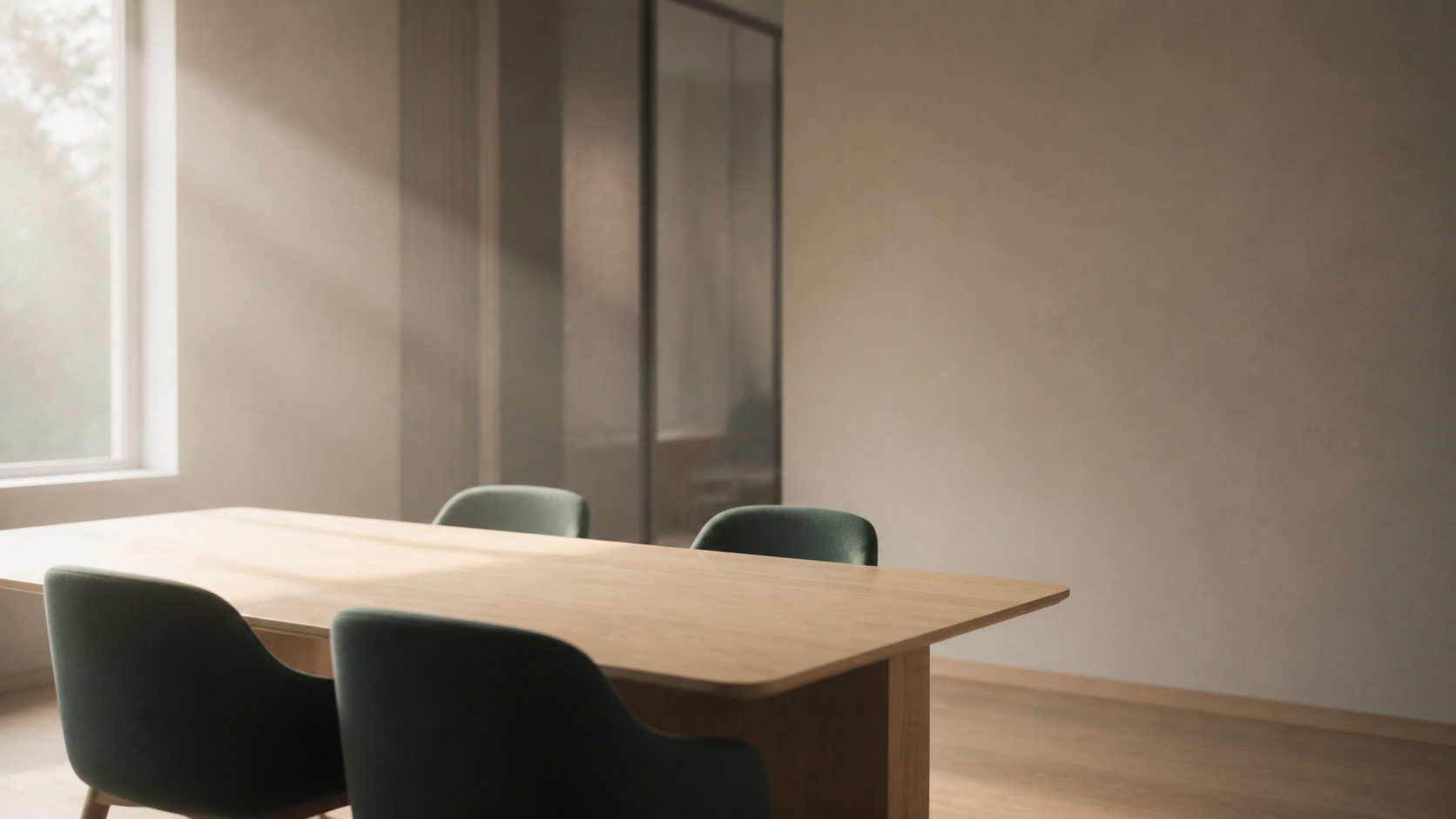
Wide shot of the empty meeting room in early morning, a long pale oak table, four muted sage-teal chairs, a glass partition softly defocused behind, fine dust particles drifting slowly through the beam of window light. Camera performs a slow lateral dolly six percent to the right at constant speed. Shot on an 85mm lens at f/2.0, shallow depth of field. Lit by a single soft key of diffused daylight from a large window at forty-five degrees camera-left, gentle falloff into deep soft shadow, no fill, no practical lamps, no coloured light. Desaturated filmic grade, low contrast, lifted blacks, neutral-to-warm white balance, fine natural grain, clean but never glossy. Palette limited to deep slate charcoal, warm brushed bronze, soft off-white and one muted sage-teal accent. The right third of frame is clean, low-detail negative space held for text overlay. One continuous take, one camera move, no cuts, no speed change, locked horizon, no handheld shake, no zoom. Movement is barely perceptible throughout. Calm, unhurried, meditative pacing.
Negative additions
global string + people, clutter, cables, whiteboard
Loop
Drift is the most forgiving move to ping-pong — mirror it for a seamless 16s.
M1-OPEN-01
Slides 6, 7 · Module 1 opener
ref‑to‑video P2 + P48sOptic ARackZone left
Generated keyframe · M1-OPEN-01
Prompt
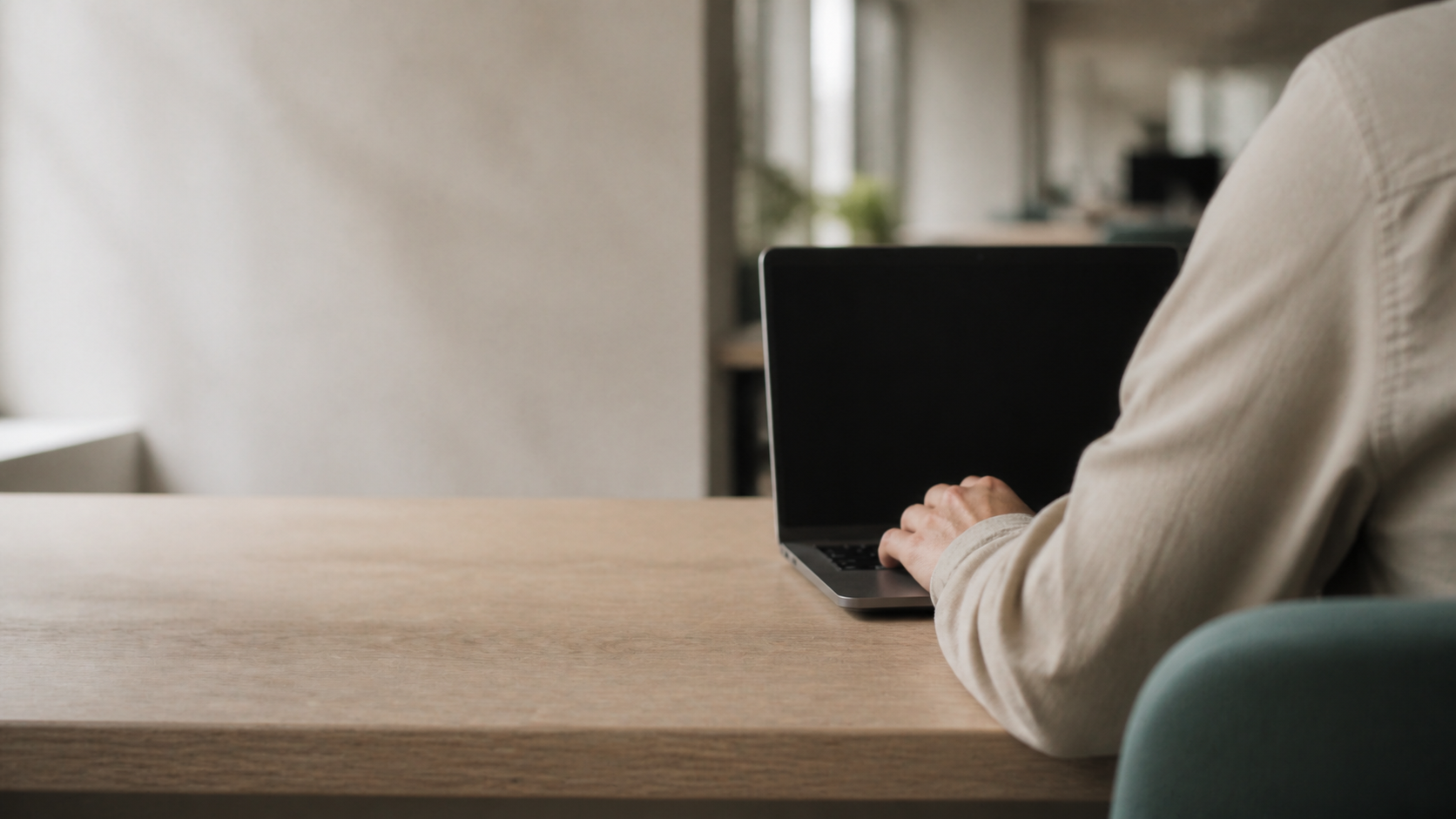
Medium close-up from behind and slightly above of a professional in an oatmeal shirt seated at the pale oak table, one hand resting completely still on a laptop, face out of frame, the open-plan office falling away defocused beyond. Single rack focus from the background to the still hand, completing at seventy percent of the duration and holding. Shot on an 85mm lens at f/2.0, shallow depth of field. Lit by a single soft key of diffused daylight from a large window at forty-five degrees camera-left, gentle falloff into deep soft shadow, no fill, no practical lamps, no coloured light. Desaturated filmic grade, low contrast, lifted blacks, neutral-to-warm white balance, fine natural grain, clean but never glossy. Palette limited to deep slate charcoal, warm brushed bronze, soft off-white and one muted sage-teal accent. The left third of frame is clean, low-detail negative space held for text overlay. One continuous take, one camera move, no cuts, no speed change, locked horizon, no handheld shake, no zoom. Movement is barely perceptible throughout. Calm, unhurried, meditative pacing.
Negative additions
global string + readable screen, spreadsheet, distress acting, red colour cast
Loop
Does not loop — a rack cannot un-rack. Freeze the final frame for the last two seconds and let the slide sit on it.
M1-BODY-01
Slide 11 · Physical signs
ref‑to‑video P2 + P48sOptic APushZone right
Generated keyframe · M1-BODY-01
Prompt
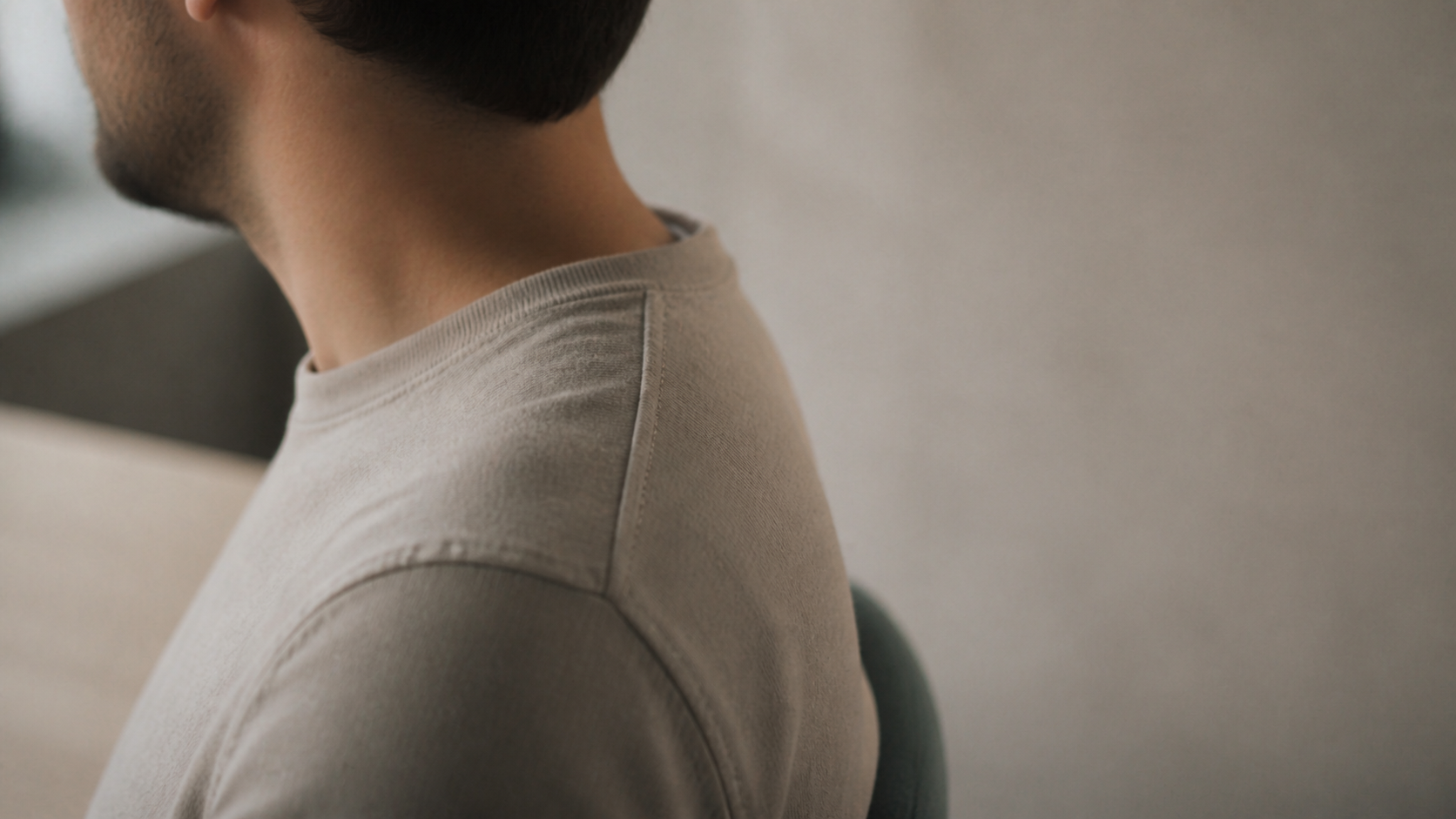
Close profile of a professional's shoulder and neck as they slowly roll the shoulder once and settle back to rest, seated at the pale oak table in a warm grey shirt, head turned away and softly out of focus. Camera performs a slow eight percent push-in across the full duration. Shot on an 85mm lens at f/2.0, shallow depth of field. Lit by a single soft key of diffused daylight from a large window at forty-five degrees camera-left, gentle falloff into deep soft shadow, no fill, no practical lamps, no coloured light. Desaturated filmic grade, low contrast, lifted blacks, neutral-to-warm white balance, fine natural grain, clean but never glossy. Palette limited to deep slate charcoal, warm brushed bronze, soft off-white and one muted sage-teal accent. The right third of frame is clean, low-detail negative space held for text overlay. One continuous take, one camera move, no cuts, no speed change, locked horizon, no handheld shake, no zoom. Movement is barely perceptible throughout. Calm, unhurried, meditative pacing.
Negative additions
global string + grimace, pain expression, medical imagery, anatomy overlay, massage
Loop
Starts and ends in the identical resting posture — trims to a clean loop once the push is neutralised in the finishing pass.
M1-MIND-01
Slides 12, 14 · Mental signs / effect on work
ref‑to‑video P28sOptic BHoldZone left
Generated keyframe · M1-MIND-01
Prompt
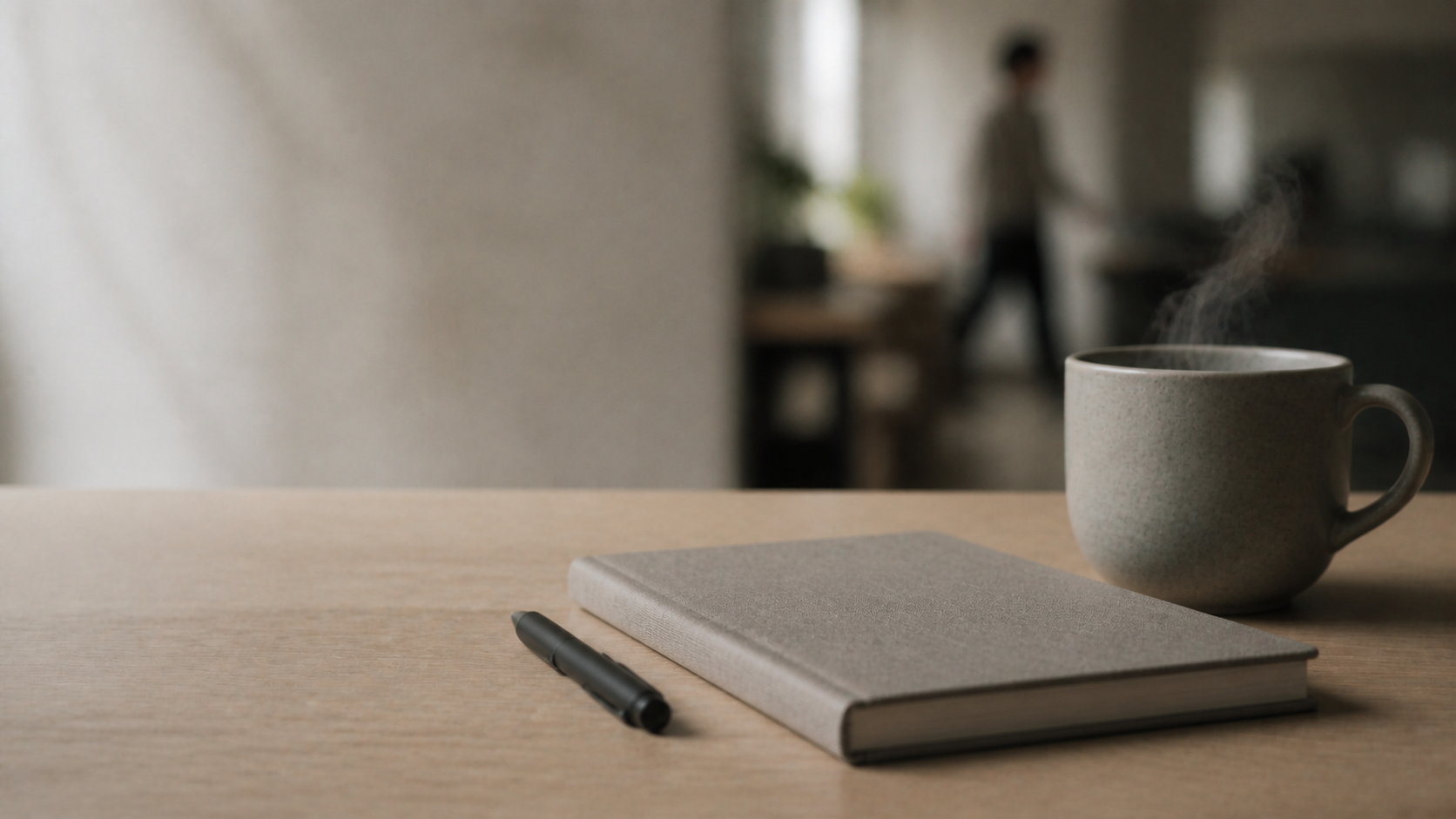
Static close-up of the pale oak table where a matte black pen rests beside a closed grey linen notebook and an unbranded stoneware cup, thin steam rising and dissipating slowly, a single defocused figure crossing once far behind. Camera locked off; the only movement is the steam. Shot on a 100mm macro lens at f/2.8, extremely shallow depth of field. Lit by a single soft key of diffused daylight from a large window at forty-five degrees camera-left, gentle falloff into deep soft shadow, no fill, no practical lamps, no coloured light. Desaturated filmic grade, low contrast, lifted blacks, neutral-to-warm white balance, fine natural grain, clean but never glossy. Palette limited to deep slate charcoal, warm brushed bronze, soft off-white and one muted sage-teal accent. The left third of frame is clean, low-detail negative space held for text overlay. One continuous take, one camera move, no cuts, no speed change, locked horizon, no handheld shake, no zoom. Movement is barely perceptible throughout. Calm, unhurried, meditative pacing.
The cleanest loop in the set. Trim on a matching steam position and it repeats invisibly.
M1-SCENARIO-01
Slides 15, 16 · Activity: Spot the Signs
ref‑to‑video P3 + P48sOptic ADriftZone right
Generated keyframe · M1-SCENARIO-01
Prompt
Medium shot of a professional in slate blue sitting alone at the meeting room table with plain cream papers spread in front of them, pausing mid-task with one hand still on a page, face three-quarters turned away and gently out of focus. Camera performs a slow lateral dolly six percent to the right at constant speed. Shot on an 85mm lens at f/2.0, shallow depth of field. Lit by a single soft key of diffused daylight from a large window at forty-five degrees camera-left, gentle falloff into deep soft shadow, no fill, no practical lamps, no coloured light. Desaturated filmic grade, low contrast, lifted blacks, neutral-to-warm white balance, fine natural grain, clean but never glossy. Palette limited to deep slate charcoal, warm brushed bronze, soft off-white and one muted sage-teal accent. The right third of frame is clean, low-detail negative space held for text overlay. One continuous take, one camera move, no cuts, no speed change, locked horizon, no handheld shake, no zoom. Movement is barely perceptible throughout. Calm, unhurried, meditative pacing.
Negative additions
global string + printed text on paper, head in hands, crying, harsh contrast
Loop
Ping-pong the drift for 16s; the reversed direction is unreadable at this speed.
M2-HERO-01
Slides 19, 29 · Pause → Listen → Notice → Relax
ref‑to‑video P112sOptic BDriftZone left
Generated keyframe · M2-HERO-01 · look-dev anchor
Prompt · look-dev anchor
Extreme macro of the rim of the brushed bronze singing bowl at the exact moment a felt mallet makes gentle contact, fine concentric vibration travelling outward across the metal, a long specular highlight tracing the curve, the far rim falling into soft blur. Camera performs a slow lateral dolly six percent to the right at constant speed, following the vibration. Shot on a 100mm macro lens at f/2.8, extremely shallow depth of field. Lit by a single soft key of diffused daylight from a large window at forty-five degrees camera-left, gentle falloff into deep soft shadow, no fill, no practical lamps, no coloured light. Desaturated filmic grade, low contrast, lifted blacks, neutral-to-warm white balance, fine natural grain, clean but never glossy. Palette limited to deep slate charcoal, warm brushed bronze, soft off-white and one muted sage-teal accent. The left third of frame is clean, low-detail negative space held for text overlay. One continuous take, one camera move, no cuts, no speed change, locked horizon, no handheld shake, no zoom. Movement is barely perceptible throughout. Calm, unhurried, meditative pacing.
Negative additions
global string + fingers through metal, mallet clipping, dented rim, engraved pattern
Role
This is the look-dev anchor. Generate it three times before anything else; the approved take defines the deck.
Loop
Ping-pong for 24s. Watch the mallet — if it re-contacts on the reverse, trim before contact and loop the vibration only.
M2-MATERIAL-01
Slide 25 · Metal vs Crystal
ref‑to‑video P18sOptic CDriftZone centre
Generated keyframe · M2-MATERIAL-01
Prompt
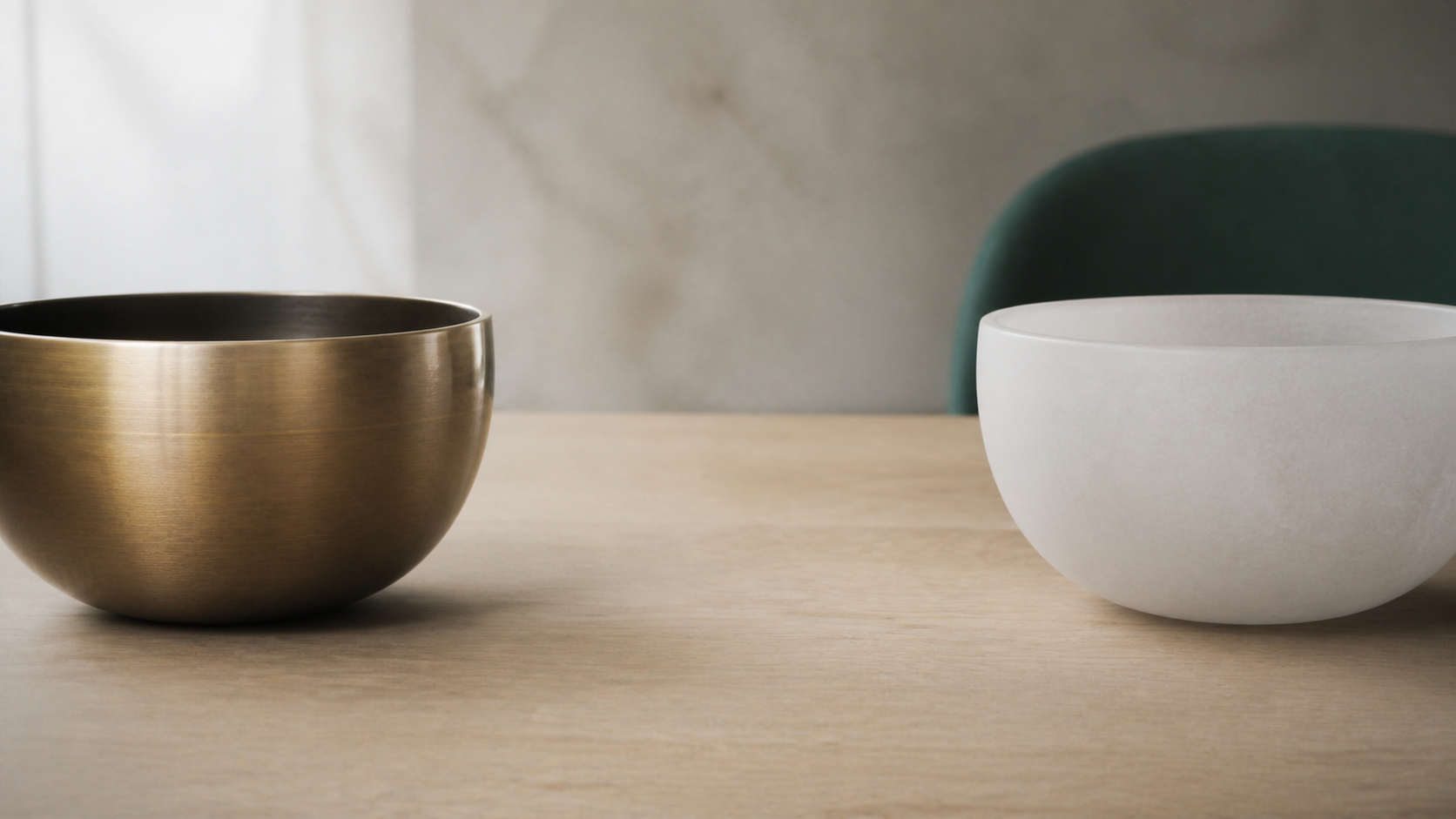
Slow lateral reveal across the pale oak table showing the brushed bronze singing bowl on the left and a frosted quartz bowl on the right, both lit identically, gentle specular highlights defining each material, an empty gutter of bare oak between them. Camera performs a slow lateral dolly six percent to the right at constant speed. Shot on an 85mm lens at f/2.8, moderate depth of field. Lit by a single soft key of diffused daylight from a large window at forty-five degrees camera-left, gentle falloff into deep soft shadow, no fill, no practical lamps, no coloured light. Desaturated filmic grade, low contrast, lifted blacks, neutral-to-warm white balance, fine natural grain, clean but never glossy. Palette limited to deep slate charcoal, warm brushed bronze, soft off-white and one muted sage-teal accent. The centre of frame stays clean and low-detail so overlaid text remains legible. One continuous take, one camera move, no cuts, no speed change, locked horizon, no handheld shake, no zoom. Movement is barely perceptible throughout. Calm, unhurried, meditative pacing.
Negative additions
global string + rainbow refraction, prismatic sparkle, backlit crystal glow, third object
Why Optic C
The only clip on the shoot that needs two subjects equally sharp. It is a documented exception, not a licence to vary depth elsewhere.
Loop
Generate the reverse move as a second take and ping-pong the pair for a true 16s comparison hold.
M2-SOUND-01
Slides 21, 22, 26 · How sound is produced
ref‑to‑video P58sOptic BHoldZone right
Generated keyframe · M2-SOUND-01
Prompt
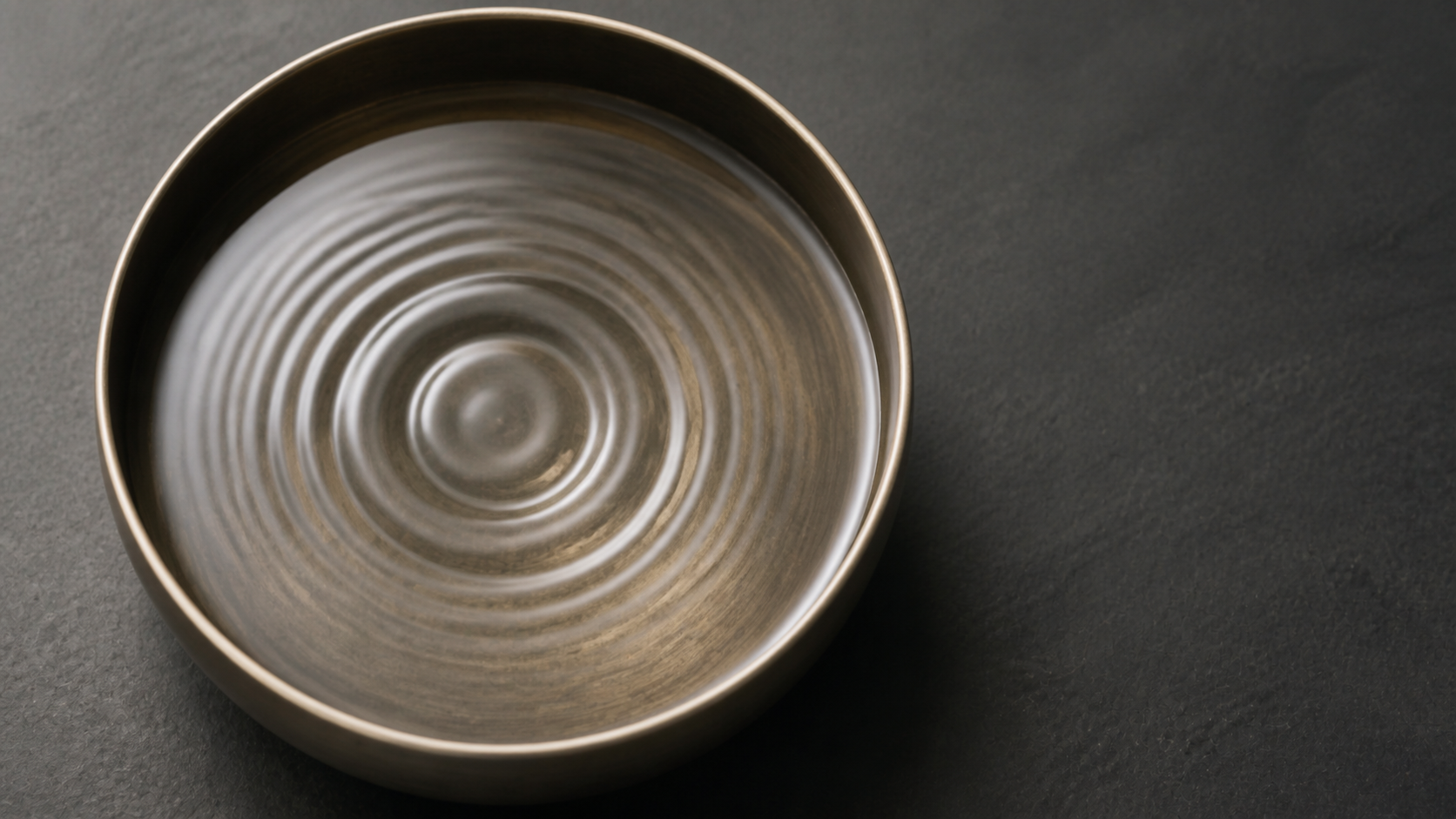
Extreme macro directly overhead of a shallow bowl of still water on dark slate, a single soft impulse sending slow concentric ripples outward from the centre and gradually flattening back to complete stillness, fine highlights riding each ripple crest. Camera locked off overhead; the only movement is the water. Shot on a 100mm macro lens at f/2.8, extremely shallow depth of field. Lit by a single soft key of diffused daylight from a large window at forty-five degrees camera-left, gentle falloff into deep soft shadow, no fill, no practical lamps, no coloured light. Desaturated filmic grade, low contrast, lifted blacks, neutral-to-warm white balance, fine natural grain, clean but never glossy. Palette limited to deep slate charcoal, warm brushed bronze, soft off-white and one muted sage-teal accent. The right third of frame is clean, low-detail negative space held for text overlay. One continuous take, one camera move, no cuts, no speed change, locked horizon, no handheld shake, no zoom. Movement is barely perceptible throughout. Calm, unhurried, meditative pacing.
Negative additions
global string + falling droplet, splash, hands, face reflection, coloured water
Loop
Perfect loop by construction — the water returns to stillness on the final frame, matching frame one exactly.
M3-OPEN-01
Slides 33, 34, 36 · Module 3 hero
ref‑to‑video P2 + P48sOptic APushZone left
Generated keyframe · M3-OPEN-01
Prompt
Medium two-shot of two professionals in oatmeal and slate blue standing at the edge of the pale oak table, one passing across a plain cream document while the other listens with a small attentive nod, both faces calm and partly turned from camera, the window light rimming their shoulders. Camera performs a slow eight percent push-in across the full duration. Shot on an 85mm lens at f/2.0, shallow depth of field. Lit by a single soft key of diffused daylight from a large window at forty-five degrees camera-left, gentle falloff into deep soft shadow, no fill, no practical lamps, no coloured light. Desaturated filmic grade, low contrast, lifted blacks, neutral-to-warm white balance, fine natural grain, clean but never glossy. Palette limited to deep slate charcoal, warm brushed bronze, soft off-white and one muted sage-teal accent. The left third of frame is clean, low-detail negative space held for text overlay. One continuous take, one camera move, no cuts, no speed change, locked horizon, no handheld shake, no zoom. Movement is barely perceptible throughout. Calm, unhurried, meditative pacing.
Negative additions
global string + handshake, laughing, applause, printed text on document, staged pose
Loop
Hold the final composition for two seconds; the handover reads as complete rather than cut.
M3-LISTEN-01
Slides 38–41 · Listen / Respond / Scenario
ref‑to‑video P3 + P48sOptic ARackZone right
Generated keyframe · M3-LISTEN-01
Prompt
Close over-the-shoulder of one professional as a colleague opposite speaks across the meeting room table, the listener's head tilted slightly in full attention, the speaker softly out of focus behind, muted sage-teal upholstery filling the background. Single rack focus from the speaker to the listener, completing at seventy percent of the duration and holding. Shot on an 85mm lens at f/2.0, shallow depth of field. Lit by a single soft key of diffused daylight from a large window at forty-five degrees camera-left, gentle falloff into deep soft shadow, no fill, no practical lamps, no coloured light. Desaturated filmic grade, low contrast, lifted blacks, neutral-to-warm white balance, fine natural grain, clean but never glossy. Palette limited to deep slate charcoal, warm brushed bronze, soft off-white and one muted sage-teal accent. The right third of frame is clean, low-detail negative space held for text overlay. One continuous take, one camera move, no cuts, no speed change, locked horizon, no handheld shake, no zoom. Movement is barely perceptible throughout. Calm, unhurried, meditative pacing.
Generate a second take with the rack reversed — speaker into focus, listener soft — for the role-swap slides. Same head, one clause changed, tail untouched.
Loop
Does not loop. Freeze the final frame.
REL-AMBIENT-01
Slides 44–47 · Guided Sound Relaxation
ref‑to‑video P530sOptic ADriftZone centre
Generated keyframe · REL-AMBIENT-01
Prompt
Near-abstract drift across a soft off-white plaster wall as a band of warm afternoon light moves almost imperceptibly across its texture, fine dust particles suspended and drifting in the beam, a faint bronze reflection glowing at the far edge of frame, and nothing else happens. Camera performs one continuous lateral dolly six percent to the right across the full thirty seconds. Shot on an 85mm lens at f/2.0, shallow depth of field. Lit by a single soft key of diffused daylight from a large window at forty-five degrees camera-left, gentle falloff into deep soft shadow, no fill, no practical lamps, no coloured light. Desaturated filmic grade, low contrast, lifted blacks, neutral-to-warm white balance, fine natural grain, clean but never glossy. Palette limited to deep slate charcoal, warm brushed bronze, soft off-white and one muted sage-teal accent. The centre of frame stays clean and low-detail so overlaid text remains legible. One continuous take, one camera move, no cuts, no speed change, locked horizon, no handheld shake, no zoom. Movement is barely perceptible throughout. Calm, unhurried, meditative pacing.
Negative additions
global string + people, objects entering frame, sudden light change, flicker, shadow of a person
Loop
Ping-pong to 60s in the finishing pass, then set PowerPoint to loop. Thirty minutes of relaxation runs on the same sixty seconds and nobody notices.
Watch for
Plaster is the worst surface for texture boil at 720p. If the wall shimmers, reject the take — the finishing deflicker mitigates it but cannot remove it.
Where video must not go — unchanged from v1, and worth restating: assessment slides 17, 31 and 43, the learning-outcome checkpoints, and the recap diagrams all stay completely static. Motion behind a checkpoint reads as decoration and spends the credibility the rest of the deck is building.
08
QC gate — nine ways a take dies
Review on the projector you will present on, at full screen, with the room lit as it will be on the day. A laptop screen hides exactly the failures that a projector amplifies: flicker, banding, and texture boil.
01Glyphs.Any letter, number, sign, logo, screen UI or readable document anywhere in frame — including the far background and reflections. Instant reject; no crop will save it.
02Hands.Extra or fused fingers, a mallet passing through metal, a hand that changes shape mid-move. The macro clips are the high-risk ones.
03Faces.Direct eye contact with camera, a symmetrical stock grin, or a face rendered sharply enough to read as a specific identifiable person.
04Exposure drift.Highlights rolling up or blacks crushing partway through. Scrub the histogram if you have one; otherwise watch the window edge.
05Move overshoot.A move that accelerates, stops abruptly, reverses, or exceeds its declared percentage. The clip must feel like it could keep going.
06Colour cast.Any magenta, violet or cyan shift outside the four-colour palette. This is the tell that separates "corporate" from "wellness app".
07Contaminated negative space.Detail creeping into the declared text third. Overlay your actual slide text and check contrast, not the empty frame.
08Loop mismatch.For every clip marked loopable, first and last frames must be matchable within a 12-frame dissolve.
09Texture boil.Shimmer on plaster, oak grain or brushed metal. Most visible on the ambient and the two macro clips, and most visible on a projector.
A take that fails gets a reworded head and another three attempts. It never gets an edited tail. If three assets in a row fail the same way, the fault is in the plate set, not the prompts — remake the plate and re-run those assets together.
09
The finishing pass
Twelve approved takes are still twelve independent generations: slightly different exposure, slightly different noise, slightly different sharpness. One shared pass over all of them collapses that difference — the same thing a colourist does to a real shoot, and the reason real shoots look like shoots.
Run it on every clip with identical settings. Resist the urge to tweak per-clip; per-clip correction is how you re-introduce the variance you just spent a day removing.
What each stage buys you: deflicker kills the frame-to-frame luminance wobble generative video always carries. lanczos to 1080p is sharper than PowerPoint's own scaler and stops the projector doing it badly. eq + curves is the shared grade — a 6% contrast pull, 12% desaturation and a black lift to 4.5% gives the whole set one filmic base. noise lays a single matched grain over everything, which is the trick that makes twelve different renders feel like one stock. unsharp at 0.35 restores bite lost to the upscale without going crispy.
Ping-pong is seamless by construction for DRIFT and HOLD, and acceptable for PUSH — a slow push that slowly pulls back reads as breathing. Never ping-pong a RACK: focus visibly un-racking looks like a mistake.
Pass 3 · Batch the whole set
mkdir -p final
for f in approved/*.mp4; do
ffmpeg -y -i "$f" -an \
-vf "deflicker=mode=pm:size=10,scale=1920:1080:flags=lanczos,eq=contrast=0.94:saturation=0.88:gamma=1.03:brightness=0.012,curves=all='0/0.045 0.5/0.5 1/0.96',noise=alls=6:allf=t+u,unsharp=5:5:0.35:5:5:0.0" \
-r 30 -c:v libx264 -crf 16 -preset slow -pix_fmt yuv420p "final/$(basename "$f")"
done
Naming, so the deck stays auditable
M2-HERO-01_t02_final.mp4 asset id · take number · stage
Keep the rejected takes. When a slide changes six weeks from now you will want take 01 rather than a fresh generation off a model that has since been updated.
In PowerPoint. Insert as background video, send to back, Loop until Stopped and Start Automatically, mute the track. Then lay a solid slate-charcoal shape at 55–70% opacity over the declared text third. That overlay is not a fallback — it is part of the design, and it guarantees text contrast even when a generation comes back a stop brighter than its neighbours.
10
Budget and schedule
Stage
Output
Cost / time
LOOK‑DEV
3 × M2-HERO-01 at 12s
36s · ~$5 · 45 min
PLATES
5 stills, photographed or generated
negligible · 30 min
SEQUENCE
12 assets × 3 takes — 122s per take
366s · ~$48 · 2 h
PICKUPS
allow 4 assets failing QC once
~100s · ~$13 · 45 min
FINISHING
one batch pass, no per-clip work
free · 30 min
TOTAL
12 delivered clips, one visual family
~$66 · one working day
Costed at the $0.13/second figure from v1. The v2 structure does not reduce spend much — it reduces the number of days, because you are no longer regenerating asset four to make it match asset nine.
11
Meta-prompt v2
For generating additional assets later that still belong to this shoot. Paste the block, then add one line: Generate for: [slide number + what you want to see].
Master meta-prompt
ROLE
You are the DP and continuity supervisor on a shoot that is already in progress.
Twelve clips exist. Your job is to write prompts for additional clips that are
INDISTINGUISHABLE in look from the ones already shot. You are not designing a
look — the look is locked. You are matching it.
PROJECT
Programme: Mindful Sound for Workplace Performance
Format: 4-hour corporate training, 50-slide 16:9 deck
Placement: Looping background video behind or beside slide text, muted, with a
trainer speaking over it. It must never compete with text or trainer.
Audience: Working professionals. Sceptical of anything spiritual or alternative.
They respond to credibility, restraint, and premium finish.
Model: Seedance 2.5. 720p max, 16:9, 4-30s, single continuous pass.
Reference-to-video is the default mode. Native audio is always
suppressed and always muted on import.
═══════════════════════════════════════════
PROMPT GRAMMAR — the entire method
═══════════════════════════════════════════
Every prompt = VARIABLE HEAD + INVARIANT TAIL.
The HEAD (40-70 words) is the only thing you write. It contains, in order:
shot size -> subject -> action -> the declared camera move.
The TAIL is reproduced VERBATIM. You never paraphrase, compress, reorder or
"improve" it. Paraphrasing the tail is the single failure mode of this system.
TAIL 1 - OPTICS. Choose exactly one:
A: Shot on an 85mm lens at f/2.0, shallow depth of field.
B: Shot on a 100mm macro lens at f/2.8, extremely shallow depth of field.
C: Shot on an 85mm lens at f/2.8, moderate depth of field.
(C is reserved for two-subject comparison shots. Justify any use.)
TAIL 2 - LIGHT. Always, unchanged:
Lit by a single soft key of diffused daylight from a large window at forty-five
degrees camera-left, gentle falloff into deep soft shadow, no fill, no practical
lamps, no coloured light.
TAIL 3 - GRADE. Always, unchanged:
Desaturated filmic grade, low contrast, lifted blacks, neutral-to-warm white
balance, fine natural grain, clean but never glossy. Palette limited to deep
slate charcoal, warm brushed bronze, soft off-white and one muted sage-teal
accent.
TAIL 4 - FRAME. Choose exactly one:
LEFT: The left third of frame is clean, low-detail negative space held for
text overlay.
RIGHT: The right third of frame is clean, low-detail negative space held for
text overlay.
CENTRE: The centre of frame stays clean and low-detail so overlaid text remains
legible.
TAIL 5 - DISCIPLINE. Always, unchanged:
One continuous take, one camera move, no cuts, no speed change, locked horizon,
no handheld shake, no zoom. Movement is barely perceptible throughout. Calm,
unhurried, meditative pacing.
═══════════════════════════════════════════
MOTION LAW — one move per clip, no exceptions
═══════════════════════════════════════════
PUSH : Camera performs a slow eight percent push-in across the full duration.
DRIFT : Camera performs a slow lateral dolly six percent to the right at constant
speed.
RACK : Single rack focus in one direction, completing at seventy percent of the
duration and holding.
HOLD : Camera locked off; the only movement is inside the frame.
Write the move into the HEAD using this exact wording. Invent no other moves.
═══════════════════════════════════════════
CONTINUITY — this shoot has one world
═══════════════════════════════════════════
SET A The window corner: pale oak table, off-white plaster wall, one muted
sage-teal upholstered chair, floor-to-ceiling window camera-left,
open-plan office defocused behind.
SET B The meeting room: same window wall, longer pale oak table, four muted
sage-teal chairs, glass partition defocused behind.
PROPS Brushed bronze singing bowl ~150mm; felt mallet, wooden shaft; frosted
quartz bowl (Slide 25 only); closed grey linen notebook; matte black pen;
unbranded stoneware cup; plain unprinted cream paper; shallow bowl of
still water on dark slate. Nothing else enters frame.
CAST Generic contemporary professionals in charcoal, oatmeal, slate blue or
warm grey. Matte fabrics. No white shirts (they clip against the key),
no fine patterns (they alias at 720p), no jewellery, no lanyards.
Faces neutral, turned away or softly out of focus. Never named, never
identifiable, never smiling broadly, never looking at camera.
PLATES Every prompt names its reference plate: P1 bowl hero, P2 set A empty,
P3 set B empty, P4 wardrobe/talent, P5 surface macro.
═══════════════════════════════════════════
MODULE LANGUAGE
═══════════════════════════════════════════
M1 Stress Awareness Restrained workplace realism. Pressure through stillness
and composition — never chaos, red, or distress acting.
M2 Mindful Sound Macro material study, product-photography precision.
A beautifully made object, never a sacred one.
M3 Positive Interaction Two-person workplace moments. Warmth through body
language and proximity, never through big smiles.
Relaxation (44-47) Near-abstract. Almost nothing happens. Safe to leave on
screen for thirty minutes.
═══════════════════════════════════════════
GLOBAL NEGATIVE — paste unchanged, then add at most three
═══════════════════════════════════════════
text, letters, numbers, captions, subtitles, watermark, logo, signage, screen UI,
readable documents, incense, candles, flowers, mandala, lotus, chakra, religious
symbols, statues, prayer hands, robes, crystals as mysticism, glowing aura, energy
waves, sparkles, purple or violet mystical light, lens flare, god rays, coloured
gels, bloom, fast motion, whip pan, orbit, crash zoom, speed ramp, handheld shake,
cuts, jump cut, flicker, warped hands, extra fingers, distorted faces, direct eye
contact with camera, broad stock-photo smile, children, recognisable brands,
oversaturated colour, HDR look, plastic skin
═══════════════════════════════════════════
OUTPUT FORMAT — return exactly this, no preamble
═══════════════════════════════════════════
ASSET ID | e.g. M2-TEXTURE-02
SLIDE(S) | which slides it serves
PLATE | which reference plate(s)
DURATION | 8s standard / 12s hero / 30s ambient
OPTIC | A, B or C
MOVE | PUSH, DRIFT, RACK or HOLD
FRAME | LEFT, RIGHT or CENTRE
PROMPT | HEAD then TAIL, as one flowing paragraph, tail verbatim
NEGATIVE | global string + up to three additions
LOOP NOTE | ping-pong / trim point / does not loop
Write 1-3 variants per request.